
 English
 العربية

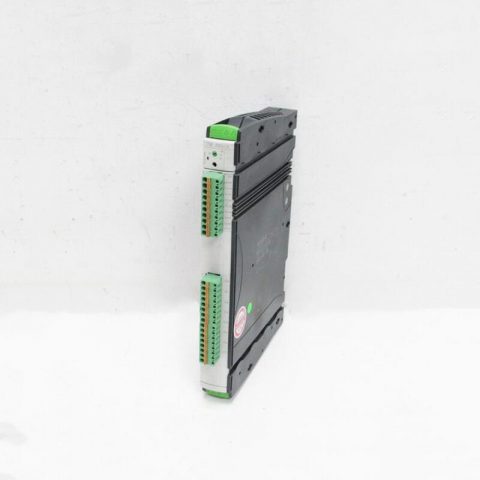
UniOP ETOP512U1P1
1. Overview
The UniOP eTOP512U1P1 is a high-performance 5.7-inch industrial touch screen panel, mainly designed to replace traditional button boxes and realize Human-Machine Interface (HMI). Integrated with display, control and communication functions, this panel is suitable for local operation and monitoring in embedded control systems.
___________________________________________________________________________________________________________________________
2. Core Specifications
|
Parameter
|
Specification
|
|---|---|
|
Display Technology
|
TFT Color LCD (Resistive Single-Touch)
|
|
Display Size
|
5.7 inches (Model code 512 for 12.1-inch screen version)
|
|
Resolution
|
320 × 240 Pixels
|
|
Display Color
|
65,536 Colors (16-bit True Color)
|
|
Processor
|
Built-in ARM Cortex-A8 Series Processor
|
|
Storage Capacity
|
128 MB Flash / 64 MB RAM
|
|
Power Input
|
24 V DC (18-30 V)
|
|
Protection Level
|
IP65 (Dustproof and Waterproof)
|
|
Operating Temperature
|
0℃ to +50℃
|
|
Interface Configuration
|
Multiple Industrial Communication Interfaces (see the table below for details)
|
|
Weight
|
Approx. 1.2 kg
|
3. Product Features
- Industrial-Grade Durability and Reliability: Complies with IP65 protection standard, capable of resisting dust and water jets, and adapting to harsh industrial environments.
- Multi-Language and Multi-Page Support: Supports multi-language display and switching between multiple working pages, facilitating use in global production lines.
- Rich Animation and Alarm Functions: Supports complex animation display and multiple alarm linkages, improving the intuitiveness of on-site operations.
- Strong Communication Compatibility: Built-in multiple industrial communication protocols (Modbus RTU/TCP, Siemens S7, Allen-Bradley, etc.), which can directly communicate with upper computers or PLCs.
- Data Management Functions: Supports data logging, event logging, recipe management and remote monitoring.
.jpg)
___________________________________________________________________________________________________________________________
4. Typical Application Areas
- Industrial Automation Control: Local control panels for equipment such as CNC machine tools, injection molding machines, and printing machines.
- Production Line Monitoring: Real-time display of production status, counting, alarm information, etc.
- Laboratory Instruments: Used for parameter setting and data display of experimental equipment.
- Building Intelligent Control: Such as elevator control panels and air conditioning system panels.
- Other Embedded Systems: Any scenario that requires a human-machine interaction interface.
___________________________________________________________________________________________________________________________
5. Installation and Maintenance Guidelines
Installation Notes
- Power Connection: Ensure that the connected voltage is 24V DC and within the range of 18-30V.
- Protection Check: Ensure that the installation position of the panel will not be subject to direct impact and is not lower than the environment required by the protection level (IP65).
- Interface Connection: Use communication cables recommended by the original factory (such as RS485 communication cables) and correctly set communication parameters (baud rate, parity, etc.).
___________________________________________________________________________________________________________________________
Maintenance Points
- Screen Cleaning: Wipe the screen gently with a soft, clean cloth. Avoid using alcohol or organic solvents to prevent damage to the resistive touch layer.
- Regular Inspection: Check whether the power input port, communication interface and expansion slot are loose or corroded.
- Firmware Update: Regularly check and update the panel firmware through JMobile Studio software to ensure compatibility with the latest protocols or fix known bugs.
————————————————————————————————-
Main brand
ABB Allen-Bradley Alstom Bently Emerson Foxboro
GE MOOG Schneider Woodward HIMA Honeywel Triconex & more
Contact our professional team today for customized solutions to meet your electrical component needs.
📧 x13806028623@gmail.com / johnedward.zch@gmail.com
📞 +86 18250705533(Whatsapp)丨Sales Manager : Jinny/John

-480x480.jpg)
-480x480.jpg)

There are no reviews yet.