
 English
 العربية

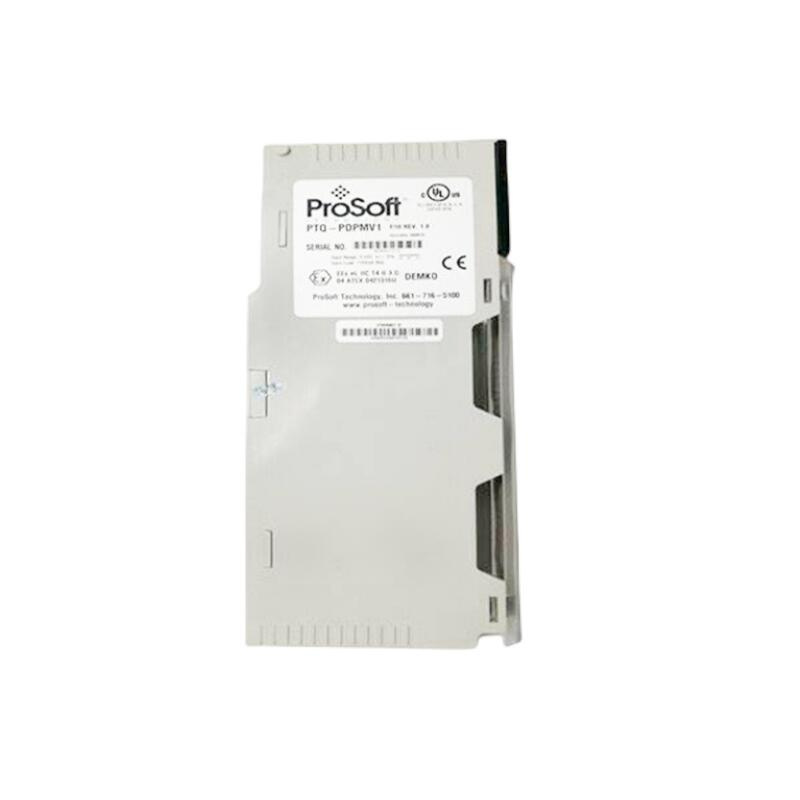
PROSOFT PS69-DPS
1. Overview
The PROSOFT PS69-DPS is a Profibus-Slave communication module designed specifically for the PROSOFT PS69 series I/O modules. It connects field I/O (input/output) modules to a higher-level control system (such as a PLC) via the Profibus bus, enabling high-speed acquisition of field data and reliable transmission of control commands.
2. Technical Parameters
The following are the key technical specifications of the PS69-DPS:
| Parameter | Specification / Range |
|---|---|
| Module Model | PS69-DPS |
| Communication Protocol | Profibus DP (Profibus-Slave) |
| Bus Speed | 1.5 Mb/s, 3.0 Mb/s, 12 Mb/s (depending on network configuration) |
| Power Supply | External power: 24V DC (0.2 A)Back-to-back power: Supplied by connected I/O modules |
| Supply Voltage | 24 VDC (in back-to-back power mode) |
| Rated Current | 0.2 A (24 VDC) |
| Mounting | DIN rail mounting (1U width) |
| Protection Class | IP20 |
| Operating Temperature | 0°C to 55°C |
| Humidity | 20% to 80% (non-condensing) |
| Communication Interface | Profibus DP (9-pin M8 connector) |
| Function Description | 1. Profibus communication2. Station address configuration
3. Data frame transmission (input/output data) |
3. Key Features
-
Highly integrated communicationDesigned for the ProSoft PS69 series, it seamlessly reads I/O status from PS69-DPM modules.
-
Multi-speed supportCompatible with 1.5 Mb/s, 3.0 Mb/s, and 12 Mb/s Profibus rates, suitable for different network sizes.
-
Back-to-back power supplyCan be powered by the connected PS69-DPM I/O module (24V), reducing wiring complexity.
-
Modular designCompact size (1U), easy to install on DIN rails and combine with other modules.
4. Structure and Components
- Profibus interface
Located on one side of the module for connecting to the Profibus DP bus. -
Power input
On the opposite side, for external 24V DC power (if back-to-back power is not used). -
Status indicators
Typically include power LED and communication LED for easy diagnostics. -
Module bodyContains the processor, communication chip, transformer, and other electronic components.
5. Applications
-
Machine manufacturingSensor signal acquisition and actuator control for robots, packaging machines, and production equipment.
-
Building automationI/O expansion for access control systems and elevator control systems.
-
Process controlAdding more inputs (switches, sensors) and outputs (valves, motors) on large production lines.
-
Automated production linesCombined with other ProSoft I/O modules to implement distributed control architectures.
6. Installation and Maintenance
6.1 Installation Steps
Preparation:
- Ensure the Profibus bus terminating resistors are correctly installed (typically 150Ω).
- Prepare a 24V DC power supply (if not using back-to-back power).
Back-to-back power supply (recommended):
- Mount the PS69-DPS on a DIN rail.
- Attach the PS69-DPM I/O module directly to the side of the PS69-DPS.
- Ensure a secure connection; the PS69-DPS will receive power from the DPM module automatically.
External power supply:
- Connect the 24V DC power cable to the power input terminal on the module.
Profibus wiring:
- Use a 9-pin M8 connector to link the PS69-DPS to the Profibus DP bus or other nodes.
Station address configuration:
- Use the ProSoft GSDML file and programming software (such as STEP 7) to set a unique Profibus address for the PS69-DPS.
————————————————————————————————-
Main brand
ABB Allen-Bradley Alstom Bently Emerson Foxboro
GE MOOG Schneider Woodward HIMA Honeywel Triconex & more
Contact our professional team today for customized solutions to meet your electrical component needs.
📧 x13806028623@gmail.com / johnedward.zch@gmail.com
📞 +86 18250705533(Whatsapp)丨Sales Manager : Jinny/John
-480x480.jpg)
-480x480.jpg)

There are no reviews yet.