
 English
 العربية

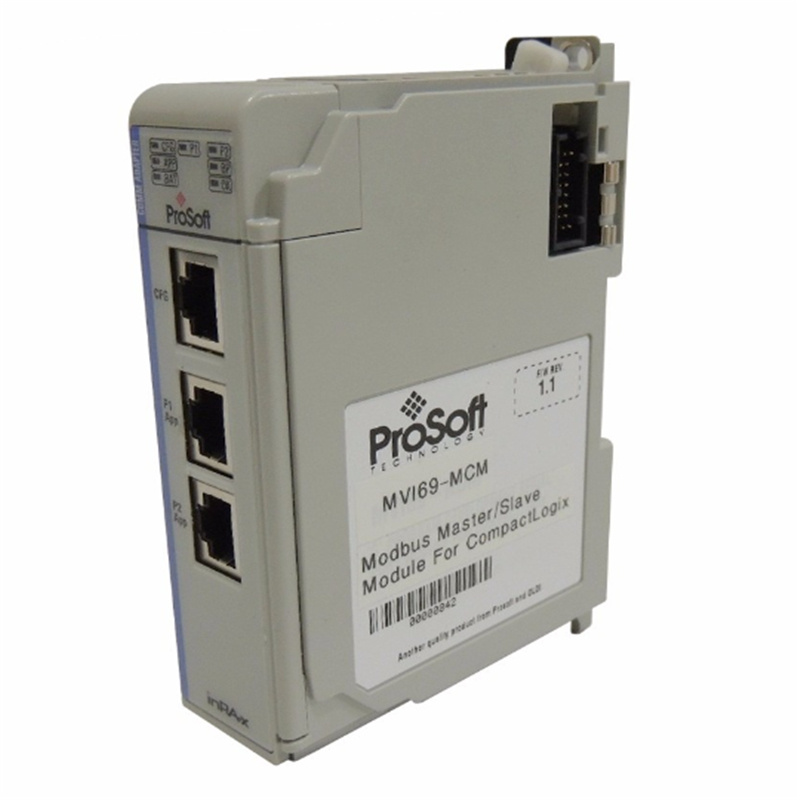
PROSOFT MVI56E-MCMR
1. Overview
The MVI56E-MCMR is part of ProSoft Technology’s MVI56E series, designed as an enhanced communication interface module for the ControlLogix platform. It plugs directly into a 1756 chassis, replacing traditional I/O modules, and provides flexible Modbus master/slave communication capabilities.
2. Key Parameters & Technical Specifications
Interface Types:Dual RS‑232 serial ports (supporting RS232/RS485/RS422) and one RJ45 Ethernet port.
Protocol Support:Modbus RTU/ASCII, plus compatibility with Modbus TCP/IP, EtherNet/IP, DF1, ASCII, DH‑485, and other major industrial communication protocols.
Communication Speed:Baud rates configurable from 110 bps to 115.2 kbps, with support for high‑speed transfers up to 921600 bps.
Power Requirements:5V or 24V DC input (depending on model), ultra‑low power consumption (approximately 2W), and compatible with 800 mA backplane power.
Operating Environment:Industrial‑grade wide temperature range from -40°C to 85°C.
3. Product Features
Enhanced Communication PerformanceUtilizes Reduced Data Block (RDB) technology to minimize backplane bandwidth usage, enabling more efficient data transfer—especially suitable for ControlNet network scheduling.
High FlexibilityTwo serial ports are independently configurable as master or slave, and can operate simultaneously on different Modbus networks.
Easy IntegrationConfigured via ProSoft Configuration Builder (PCB) software, supporting fast setup and remote diagnostics from a PC.
Industrial‑Grade ReliabilityRobust metal housing designed to withstand harsh industrial environments.
4. Installation & Maintenance
Installation Requirements:Requires an Allen‑Bradley ControlLogix processor, an available slot, and sufficient backplane power (typically 5V/800mA). Verify chassis model and power specifications before installation.
Configuration Steps:
- Insert the module into the chassis backplane.
- Use ProSoft Configuration Builder (PCB) to set parameters such as port mode (master/slave), baud rate, and address.
- Configure the module’s input/output assembly instances in RSLogix 5000 or Studio 5000
Maintenance Recommendations:Regularly inspect communication lines (complying with RS‑485/RS‑422 standards) and ensure configuration parameters match field devices. Use PCB software for remote diagnostics and troubleshooting.
————————————————————————————————-
Main brand
ABB Allen-Bradley Alstom Bently Emerson Foxboro
GE MOOG Schneider Woodward HIMA Honeywel Triconex & more
Contact our professional team today for customized solutions to meet your electrical component needs.
📧 x13806028623@gmail.com / johnedward.zch@gmail.com
📞 +86 18250705533(Whatsapp)丨Sales Manager : Jinny/John

-480x480.jpg)
-480x480.jpg)

There are no reviews yet.