
 English
 العربية

ProSoft MVI56E-LDM
Overview
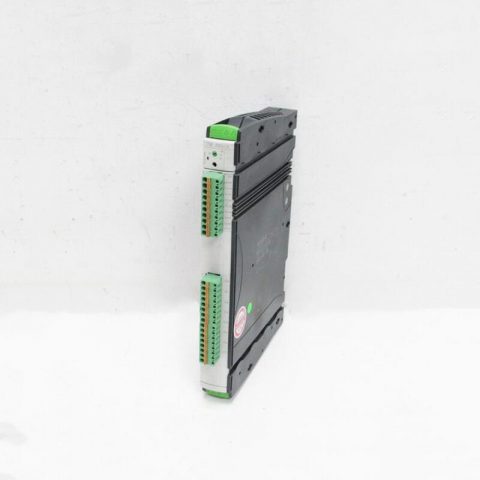
The MVI56E-LDM module is essentially a ControlLogix backplane-compatible Linux development platform. It functions not merely as a communication bridge, but as a fully integrated Linux operating system environment. Users can directly deploy C/C++ applications on it, and customize interaction logic for barcode scanners, legacy ASCII protocols, printer drivers, fieldbuses, or any proprietary protocols.
Specifications & Parameters
Electrical & Compatibility
- Backplane Compatibility: Compatible with 1756 ControlLogix backplanes, supporting both local and remote rack installation.
- Power Requirement: Operates on 5V DC only, simplifying the power supply configuration.
- Interface Count: Equipped with 2×10/100 Ethernet ports (E1, E2) and 2×serial ports (P1, P2), supporting RS232/RS485/RS422 communication standards.
Software & Storage
- Storage Medium: Industrial-grade Compact Flash (CF) card is integrated for system and user program storage. SMC or Silicon Systems CF cards are officially recommended to ensure durability of up to 2 million erase/write cycles.
- Development Environment: Configuration and development are supported on Windows 7/10 or higher PCs via RSLogix 5000 and RSLinx software.
- Register Mapping: Users can customize up to 10,000 16-bit register mappings to meet complex data interaction requirements.
.jpg)
Multi-Protocol Bridging
Through customizable software logic, the module can bridge various industrial protocols including Modbus, HART, and ASCII to Ethernet or serial interfaces.
Architecture & Components
Hardware Layer
- Midrange ASIC: Manages low-level communication between the PLC and the backplane.
- Backplane Driver: Handles electrical signal transmission across the ControlLogix backplane.
- Connection Engine: Manages physical connections for Ethernet and serial ports.
Software Layer
- Linux OS: The embedded operating system running on the module.
- OCX API: Provides a user-friendly application programming interface that allows direct reading and writing of PLC I/O and data tables.
- Application (User Program): Customized code written by users to implement specific communication logic.
Installation & Maintenance
Installation
- Rack Mounting: Insert the module into an empty slot of the ControlLogix rack. After installation, verify that the power indicator light is on normally.
- Hardware Connection: Use the included RJ45-to-DB9 cable (Cable 14) to connect to the configuration serial port (P1), or use a Null Modem cable for direct PC connection.
Maintenance
- Firmware Update: Download the latest LDM development kit and firmware from the official ProSoft website, and perform upgrades via TFTP or the web interface.
- Backup & Restoration: System and user programs stored on the CF card can be backed up using the Rescue tool provided by ProSoft. If the system crashes, the module can be restored to factory settings through the Rescue process.
- Troubleshooting: Monitor the LED status indicators. If the ERR light flashes, check the communication instructions in the Ladder program. If the APP light flashes, it indicates an exception in the Linux application—log in via the serial port to check system logs for further analysis.
————————————————————————————————-
Main brand
ABB Allen-Bradley Alstom Bently Emerson Foxboro
GE MOOG Schneider Woodward HIMA Honeywel Triconex & more
Contact our professional team today for customized solutions to meet your electrical component needs.
📧 x13806028623@gmail.com / johnedward.zch@gmail.com
📞 +86 18250705533(Whatsapp)丨Sales Manager : Jinny/John

-480x480.jpg)
-480x480.jpg)

There are no reviews yet.