
 English
 العربية

ProSoft MVI46-ADMNET
The ProSoft MVI46-ADMNET is a communication module designed for Allen-Bradley SLC 500 series PLCs. It connects the PLC to Ethernet networks for host computer or device communication, while also supporting multiple industrial protocols like Modbus RTU via its serial ports.
Specifications
- Power Requirement: 5.1 VDC, 800 mA.
- Interfaces:
- 1 x Ethernet Port (RJ45)
- 1 x RS-232 Configuration Port
- 2 x Serial Application Ports (PRT1 & PRT2)
- Compatibility: Exclusive to Allen-Bradley SLC 500 platform; supports SLC 500 backplane communication.
- Diagnostics: Integrated LED status and error indicators.
Key Features
- Dual Communication: Combines Ethernet with two independent serial ports for flexible deployment in complex networks.
- Multi-Protocol Support: Compatible with protocols such as Modbus RTU and can operate as a Modbus TCP master or slave.
- Developer API: Provides a C-language API library for initialization, debug port setup, database access, backplane communication, and configuration file management, enabling custom application development.
- Reliable Configuration: Features a dedicated RS-232 configuration port and supports multi-point connections for stable and adaptable communications.
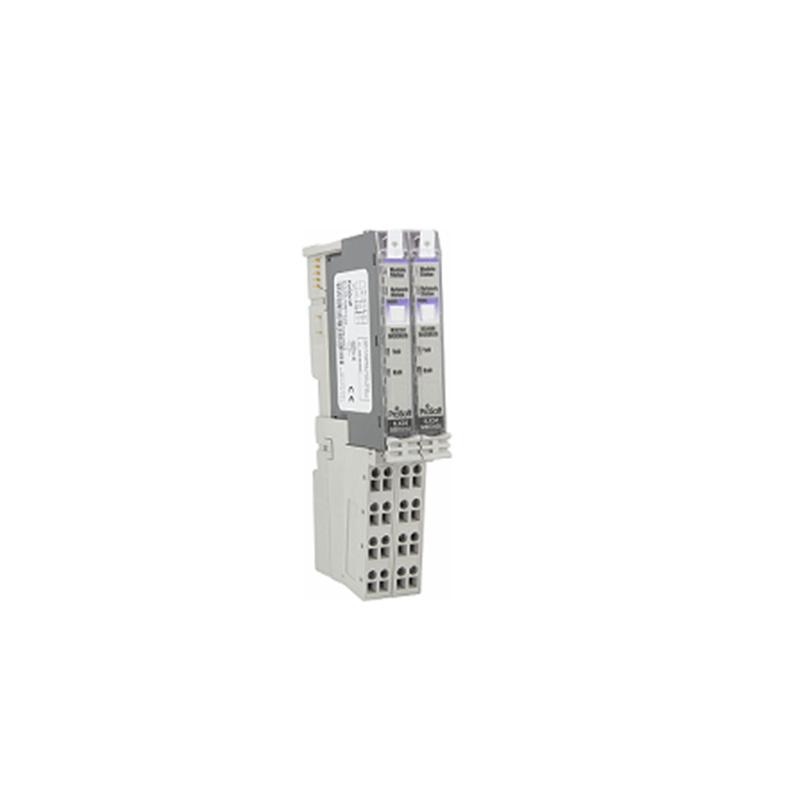
Structure and Components
- Core Control Unit: Manages communication with the SLC 500 and handles protocol conversion.
- Communication Interface Board: Integrates the Ethernet and serial ports for connecting field devices and networks.
- Indicator Module: Displays real-time module status, error codes, and communication activity for easy monitoring.
Application Areas
- Industrial Automation: Enables real-time data exchange between SLC 500 PLCs and host computers (e.g., SCADA systems).
- Modbus Gateway: Integrates traditional RS-485 field devices (drives, instruments) into Ethernet networks.
- Protocol Integration: Acts as a data bridge to connect different communication protocols in heterogeneous network environments.
Installation and Maintenance
- Installation: Insert the module into the SLC 500 backplane and secure it with screws. Ensure correct backplane power and follow ESD precautions to prevent damage.
- Configuration: Connect a PC to the RS-232 configuration port and use ProSoft tools (e.g., ProConfig) to set parameters such as IP address and serial port settings.
- Maintenance: Regularly check the indicator lights. Use ProSoft diagnostic tools for troubleshooting. Module replacement or repair should be performed by qualified personnel.
————————————————————————————————-
Main brand
ABB Allen-Bradley Alstom Bently Emerson Foxboro
GE MOOG Schneider Woodward HIMA Honeywel Triconex & more
Contact our professional team today for customized solutions to meet your electrical component needs.
📧 x13806028623@gmail.com / johnedward.zch@gmail.com
📞 +86 18250705533(Whatsapp)丨Sales Manager : Jinny/John

-480x480.jpg)
-480x480.jpg)

There are no reviews yet.