
 English
 العربية

GE PLENETG04
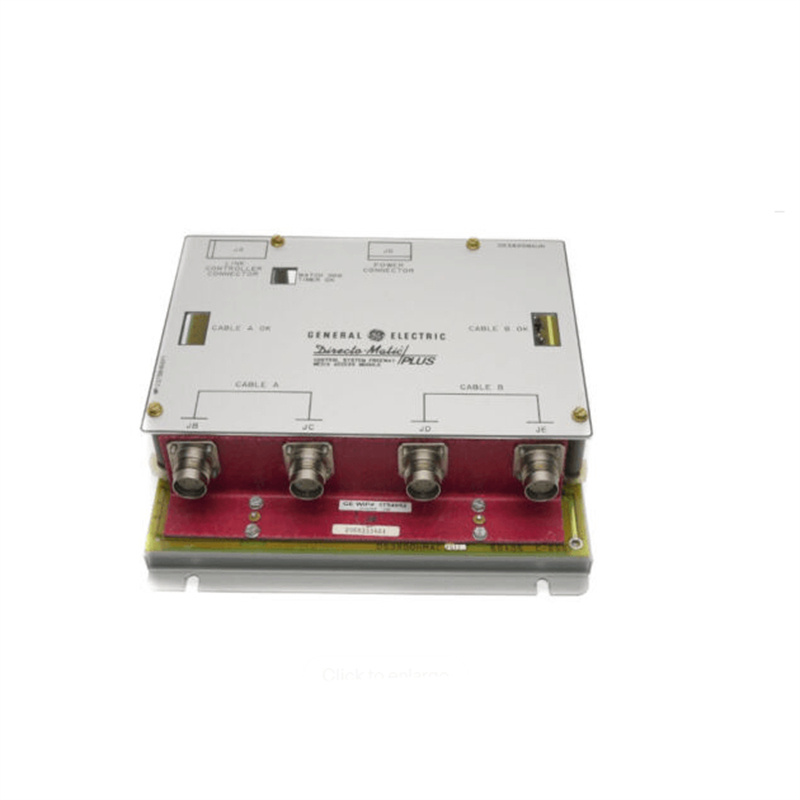
GE PLENETG04 is a high-reliability industrial Ethernet gateway launched by GE Vernova (formerly GE Power) to meet the communication and data acquisition needs of power systems. As part of GE’s Power Monitoring and Control System (PMCS) series, it is designed to achieve efficient data transmission between on-site equipment (such as sensors and substation equipment) and upper computers.
______________________________________________________________________________________________
1. Specifications
|
Parameter
|
Specification
|
Description
|
|---|---|---|
|
Network Interface
|
10/100 Mbps Ethernet
|
Supports standard Ethernet connection
|
|
Number of Serial Ports
|
8
|
Each serial port can be software-configured as RS-232, RS-422 or RS-485
|
|
Power Supply
|
24VDC (External)
|
Powered by a standard power adapter
|
|
Power Consumption
|
1.2W / 1.5W
|
Low power consumption design
|
|
Operating Temperature
|
0℃ – 50℃
|
Suitable for industrial environments
|
|
Communication Protocols
|
TCP/IP, UDP, Modbus TCP
|
Supports a wide range of industrial protocols
|
|
Isolation
|
Port Isolation (RS-232/RS-422/RS-485)
|
Provides electrical isolation protection
|
|
Operating Environment
|
0℃ – 50℃
|
Suitable for indoor computer room environments
|
______________________________________________________________________________________________
2. Product Features
- High Reliability Design: Adopts industrial-grade components with strong anti-interference capability, suitable for critical power system environments.
- Multi-Protocol Support: Built-in TCP/IP protocol stack, supporting common industrial communication protocols such as MODBUS TCP.
- Flexible Serial Port Configuration: 8 serial ports can be flexibly configured into different communication standards (RS-232/RS-422/RS-485) according to requirements.
- Power-Saving Design: Each serial port provides +5V or +12V power supply, reducing the need for external power modules.
- Easy Integration: Compatible with GE’s PMCS (Power Monitoring and Control System), providing native software support.
______________________________________________________________________________________________
3. Structure and Composition
- Chassis: Metal chassis design with a protective cover to prevent physical damage and dust entry.
- Ethernet Port: Usually located on the front panel or side, used to connect to a network switch.
- Serial Port Interface: 8 DB9 interfaces (or other standard interfaces) for connecting on-site equipment.
- Power Module: Internal power management module to ensure stable operation of the equipment.
______________________________________________________________________________________________
4. Application Fields
- Power System Monitoring: As a communication bridge in the substation automation system, it uploads on-site sensor data to the monitoring center.
- Industrial Automation: Connects equipment such as PLC and RTU to realize industrial data collection and control.
- Building Intelligence: Used in building energy management systems to connect various meters and controllers.
______________________________________________________________________________________________
5. Installation and Maintenance
Installation Steps
- Equipment Positioning: Install in a dry, well-ventilated computer room environment, ensuring the chassis has sufficient heat dissipation space.
- Network Connection: Connect the PLENETG04 to the switch using a standard network cable.
- On-site Equipment Connection: Connect sensors or controllers to the serial ports of the equipment through DB9 interfaces.
- Power On: Connect the 24V power adapter and check the status of the indicator lights.
- Software Configuration: Use the configuration tool provided by GE (such as NativeCOM) to set network parameters and serial port protocols.
Maintenance Points
- Regular Inspection: Check if the interfaces and power cables are loose, and clean the chassis heat dissipation channels.
- Firmware Update: According to GE Vernova’s recommendations, regularly update the firmware to obtain the latest security patches and features.
- Troubleshooting: Use indicator lights (such as Link LED, Power LED) for preliminary physical troubleshooting.
————————————————————————————————-
Main brand
ABB Allen-Bradley Alstom Bently Emerson Foxboro
GE MOOG Schneider Woodward HIMA Honeywel Triconex & more
Contact our professional team today for customized solutions to meet your electrical component needs.
📧 x13806028623@gmail.com / johnedward.zch@gmail.com
📞 +86 18250705533(Whatsapp)丨Sales Manager : Jinny/John


There are no reviews yet.